Are you a businessman? Do you have a shop, hotel, or website that you want to promote online to the public? This will encourage people to become part of your business. Where the entire world transacts online, Google Ads helps your business model reach every corner of the world.
Nepal is a country where people still don’t have access to any clubs to promote their businesses. Even if they do, they often have many complex rules that people want to avoid.
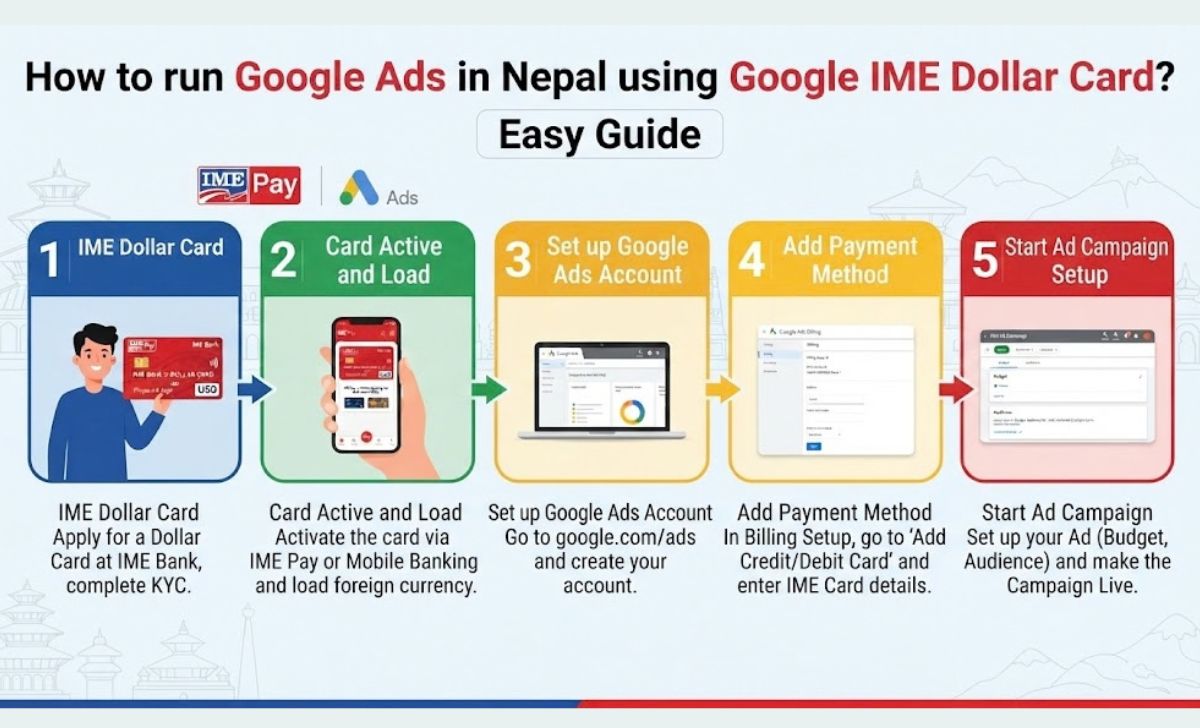
Why hasn’t Nepal yet adopted many international payment systems? There could be many reasons for this. However, there’s one thing you can do in Nepal that allows you to promote your business through online payments or running Google Ads. This is called the ECOM Dollar Card in Nepal. Every bank in Nepal offers this card. All the banks within the National Nepal Bank, such as RBB, Global Bank, and Citizen Bank, all offer this card.
But every bank has its own system for service charges. Some charge Rs. 500 while others do not charge any. You should definitely go to the bank where you have your account and get information on every transaction. There are many business owners in Nepal who face this problem. How to make a dollar payment? In this blog, we will explain the entire process in simple language, so that you too can start your first Google Ads campaign without any hindrance.
Read More: How to find your National ID card on the Citizen Portal
Table of Contents
What is Google Ads after all?
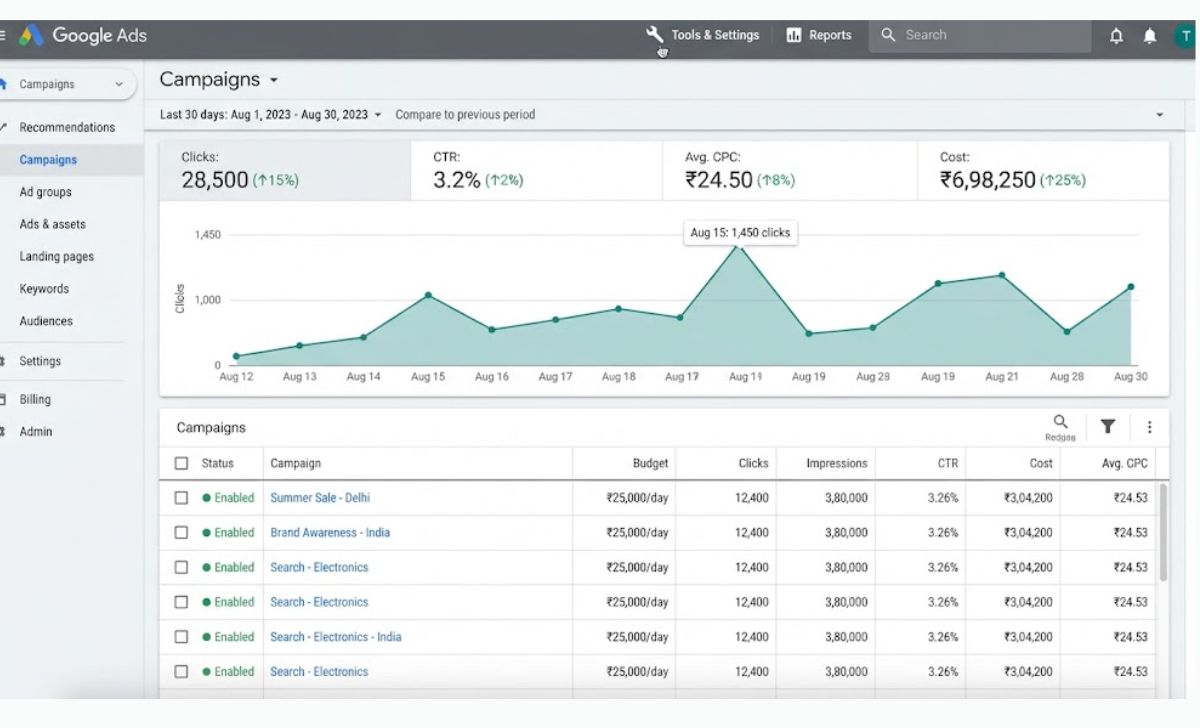
What is Google Ads?Google Ads is a pay-per-click (PPC) advertising platform operated by Google. With Google Ads, any business can promote its products or services on platforms like Google Search, Gmail, and YouTube. If someone searches for something related to your business on Google, your business model becomes visible to people when they search for something related to your business.
Read More: How to Download Nepal National Identity Card Online
Why is Google Ads so important for Nepali businesses?
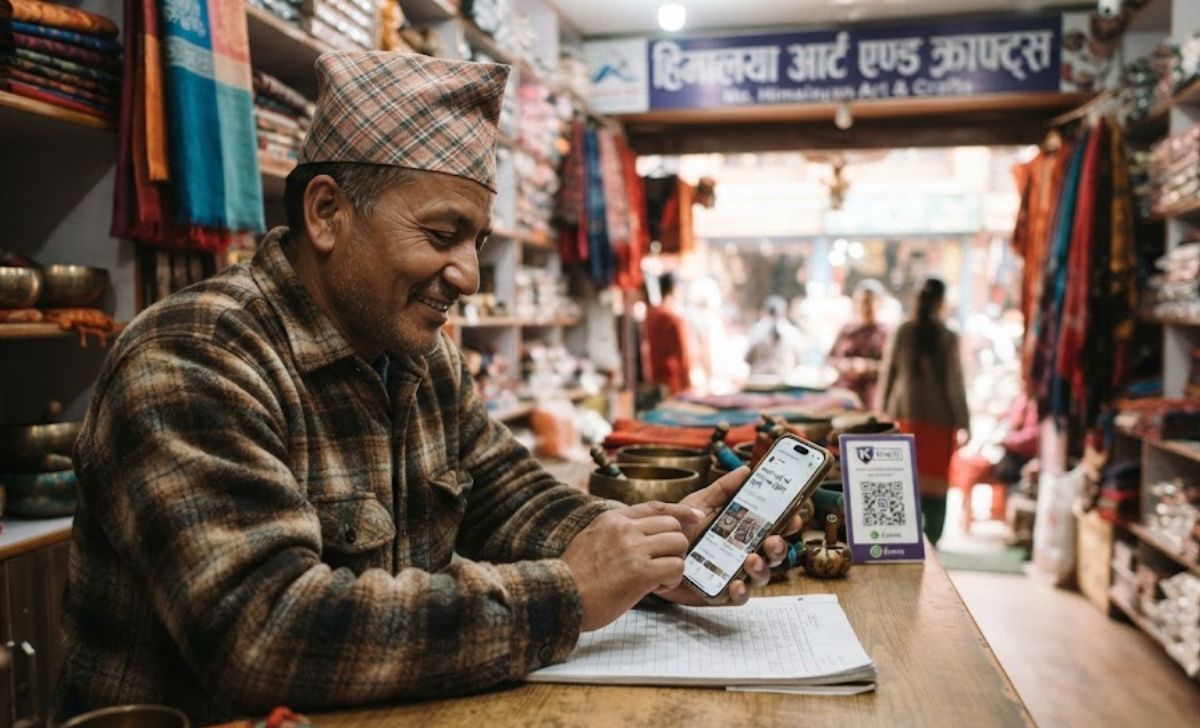
Today, in Nepal, everything is online, so everyone searches online. Whether you’re from Kathmandu, Biratnagar, or Birtamod,these days, people search online for everything from hiking boots to banking services. Searching for everything from food to beverages is inevitable. So, even a small shopkeeper in Pokhara or Biratnagar can easily reach a customer in Kathmandu or abroad simply by knowing how to use Google Ads correctly. Some of its benefits are listed below.
Some of its major advantages are:
- Targeted Reach:- You reach exactly the audience you need
- Measurable results:- Data on every click and conversion is right in front of you
- Cost-effective marketing:- It is possible to start even with a small budget
- Faster results and brand exposure:- The effect starts showing as soon as the campaign is started
How to run a Google Ads campaign
Create a Google Ads account to start
First of all ads.google.comGo to , click “Start Now,” and sign in with your Gmail account. It’s best to select “Expert Mode” for more control. Then, fill in your business information (name, website) and billing details, such as billing country, currency, and card information.
Read More: How to Register Nepal National ID Card Online ? (2026)
Define your campaign goal
Do you want website traffic, leads, or just brand awareness? Also, consider who your target audience is, their location, age, and search behavior. Everything needs to be considered to run a good Google Ads campaign.
Create your first campaign
Select “New Campaign” from the dashboard, select your goal and campaign type (Search, Display, Video, or App Promotion). Set the location, language, and daily budget, and also set the ad schedule along with the bidding strategy (like CPC or Maximize Conversions). All of this is essential to running a good ad.
Create an Ad Group and select keywords
For your information, it is important to create an Ad Group.Ad groups contain similar keywords and ads. Perform proper keyword research with tools like Google Keyword Planner, and consider match types like Broad, Phrase, and Exact. This will help your ads perform better.
Write your Ad
Good ad copy clearly communicates the offer, benefits, and your USP, along with a strong call-to-action. Be sure to preview it before publishing.
Set up conversion tracking
This is optional but extremely beneficial. Go to Tools & Settings > Conversions to embed the tracking code on your website and link to Google Analytics for better insights.
Launch and monitor campaigns
Double-check all settings, then click “Publish.” After verification, the ad will go live within a few hours. Afterward, metrics like impressions, clicks, and cost can be regularly monitored on your dashboard.
Google Ads Advertise Verification in Nepal
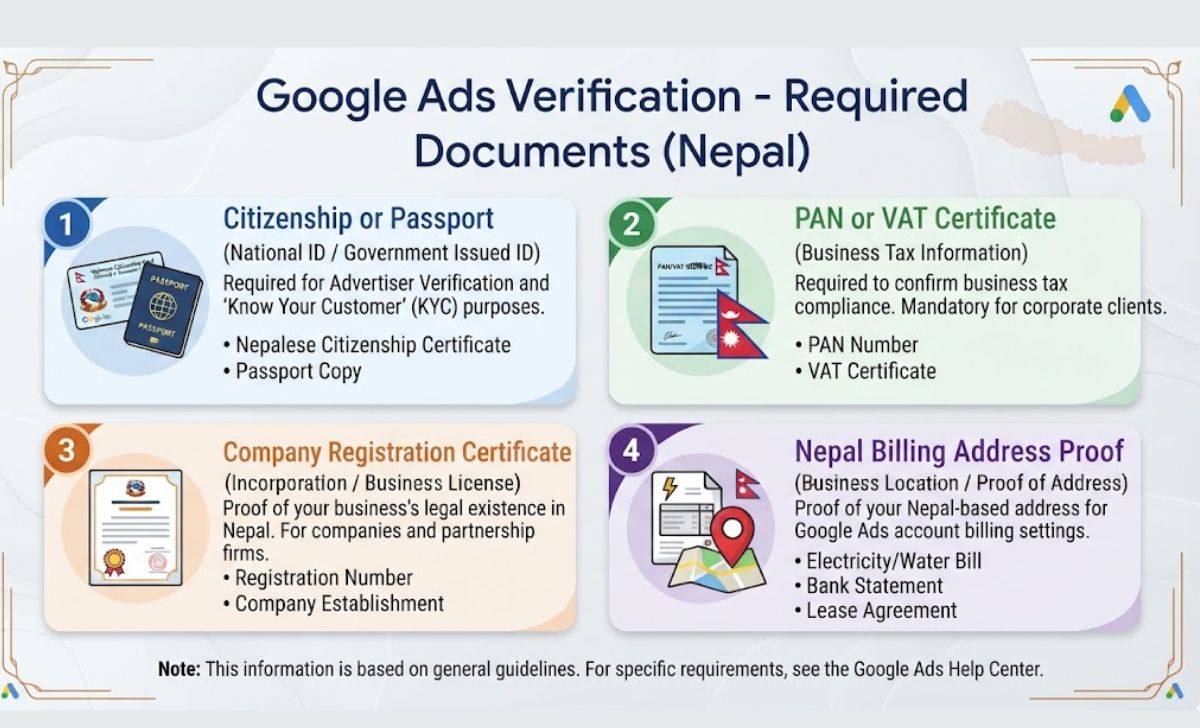
Google verifies the identity of every advertiser to maintain security and transparency. In Nepal, the following documents are required:
- Citizenship or Passport (National ID)
- PAN or VAT certificate for business
- Registration/Incorporation Certificate (for business)
- Nepal billing address
You can submit all these documents directly from the verification section of the Google Ads dashboard.
Tools to improve your Google Ads
- Google Keyword Planner:-To find the right keywords
- Google Analytics:To track visitor behavior
- Google Ads Editor: To manage multiple campaigns at once
Global IME ECOM Dollar Card | The Easy Solution to Google Ads Payments
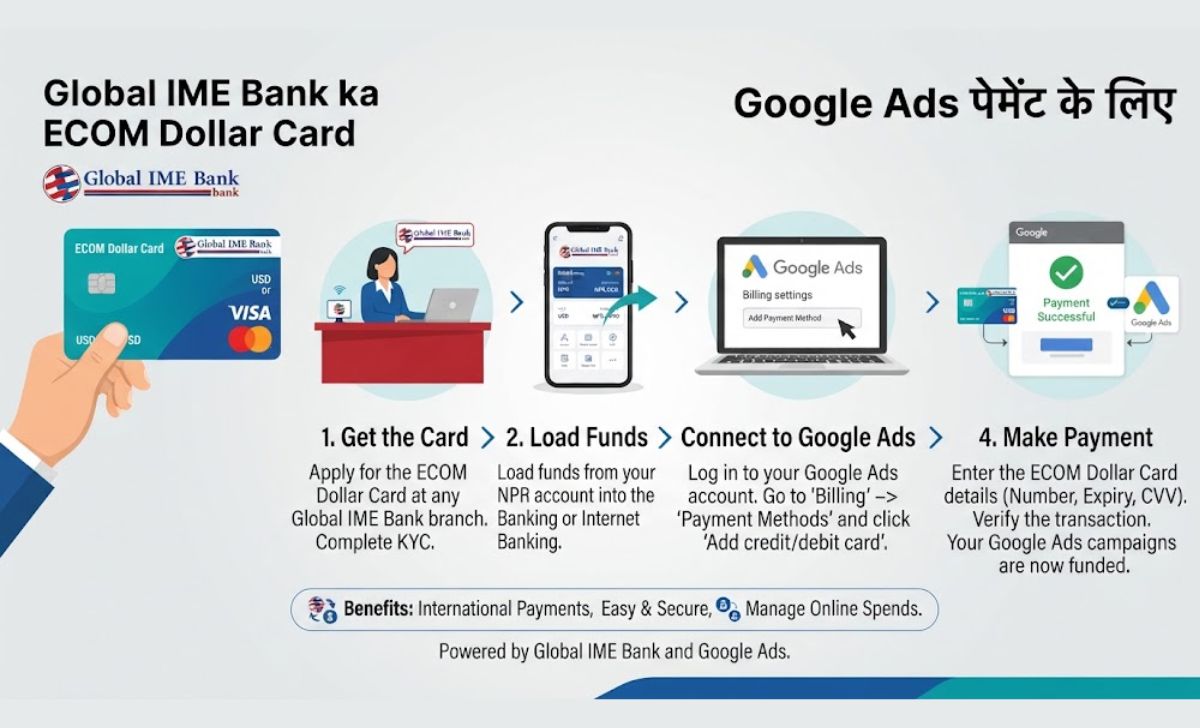
Many Nepali digital marketers and freelancers struggle with dollar payments because international payment options are limited. This is where Global IME Bank comes in. ECOM Dollar Card It comes in handy, allowing you to easily make international transactions of up to USD 500 a year.
It is a prepaid card specially designed for international payments like online shopping, Google Ads, Facebook Ads.
Its advantages:
- Easy issuance with minimal documentation
- Supports USD payments
- Completely safe
- Real-time loading via the Global Smart Plus app
How to get an ECOM Dollar Card?
You can either Global Smart+ You can get it online through the app or by visiting the nearest branch.
- Open the Global Smart+ app
- Go to the Hub section
- Select ECOM Card and select the card type (virtual or physical)
- Upload the PAN certificate and click on Submit.
- Wait for approval – Once approved, load the amount from the app and use it immediately
If you are facing any problem with the app, then bring your citizenship and PAN documents. Nearest Branch You can also go.
conclusion
Nepal is rapidly transitioning to a digital economy, and platforms like Google Ads offer Nepali businesses the opportunity to reach both local and global audiences. The Global IME ECOM Dollar Card makes this journey even easier. Now, you can promote your business worldwide without worrying about dollar payments.
Read More: Essential Digital Skills Needed to Create Professional Documents
Frequently Asked Questions (FAQs)
Can I use my regular debit card to run Google Ads?
No, most local NPR debit cards do not support international payments. The best option is an ECOM Dollar Card like the Global IME.
What is the minimum budget to start Google Ads in Nepal?
You can even start with just NPR 500–1000. The important thing is to monitor your performance.
How long does it take for a Google Ads account to be verified?
It usually takes 3–5 business days after submitting all the required documents.
Is it safe to make international transactions using an ECOM card?
Yes, Global IME Bank’s ECOM Card is designed for secure online transactions with fraud protection.
Can I run Google Ads for a Facebook Page or YouTube channel?
You can promote your Facebook Page by linking it to Google Ads, but the ad won’t appear directly on Facebook. Yes, since YouTube is part of the Google Ads network, video or banner ads can run directly there.
How many dollars can I spend with the Global IME ECOM card?
As per NRB guidelines, you can spend up to $500 a year.