A few months ago, a friend of mine enthusiastically created a utility website. It included tools like an EMI calculator, an image compressor, an age calculator, and a PDF converter. The website was well-designed and the tools worked fine. Yet, after three months, I was getting only 20-25 visitors daily. He asked me, “Dude, this is useful, why aren’t people coming?”
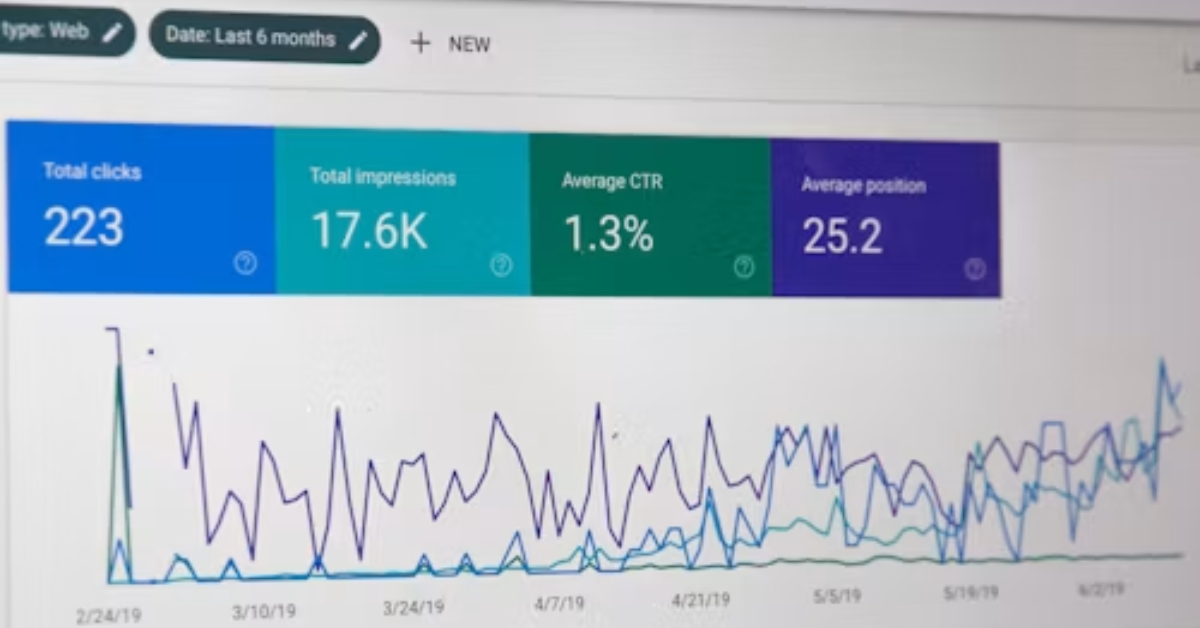
This question is asked by almost everyone with a new website. Fortunately, utility websites have a significant traffic advantage. People search Google thousands of times daily for terms like “reduce photo size,” “convert PDF to JPG,” or “loan EMI calculator.” If your tool is positioned correctly and in the right place, traffic can come naturally.
Let us understand in simple language how this will happen.
Read More: How to Run Google Ads in Nepal with Dollar Card
1. First, understand what people search for on Google
The biggest mistake we make on utility websites is creating tools that we think are cool. We should actually create tools that people are looking for.
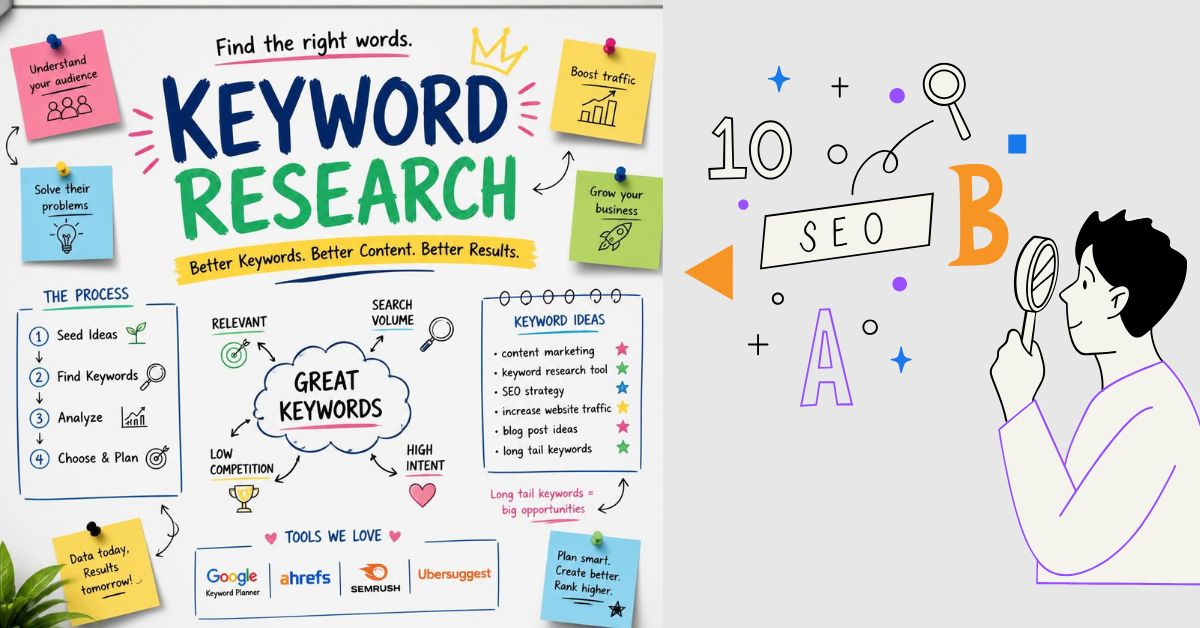
How to do keyword research:
- Type your tool into the Google search bar and see the suggestions that come up below.
- Look for the “People also search for” section at the end of the page.
- Note the questions in the “People also ask” box.
- Use tools like Google Keyword Planner, Ubersuggest or AnswerThePublic.
Don’t go after broad keywords at first. Big websites are already targeting “image compressor.” Instead, choose long-tail keywords like “how to compress an image to 50 KB.” There’s less competition, and the searcher is more likely to use your tool directly.
2. Create a separate page for each tool
Many people cram ten tools onto a single page. This confuses Google as to what the page is actually about. The rule is simple:One tool, one page, one main keyword.
As:
- /emi-calculator
- /age-calculator
- /image-compressor
Keep the title, URL, and heading of each page specific to the same tool and keyword.
3. Write useful content below the tool
This is something most people miss. Google can’t just read the tools; it needs the text to understand what the page is about. So, add 400-800 words of content below each tool, including the following:
Read More: How to find your National ID card on the Citizen Portal
- What is the tool and what is its use?
- Easy steps to use.
- Formula or method (like how EMI is calculated).
- Any example.
- 4-5 FAQ।
Write content as if you were explaining it to a friend. Heavy-handed words can turn off readers and even Google.
4. Get on-page SEO right
These small things add up to a big impact:
- Title Tag:Within 60 characters, with the main keyword at the beginning.
- Meta Description:150-160 characters, which gives a reason to click.
- H1 heading:Only one on the page, with the keyword in it.
- H2/H3:Break the content into parts.
- Image Alt Text:Simple and accurate description of each image.
- Internal Linking:Link related tools to each other, such as linking from an EMI calculator to a loan interest calculator.
5. Pay attention to website speed
People on tool websites are in a hurry. If a page takes five seconds to load, they’ll immediately hit back. Google sees this and lowers their rankings.
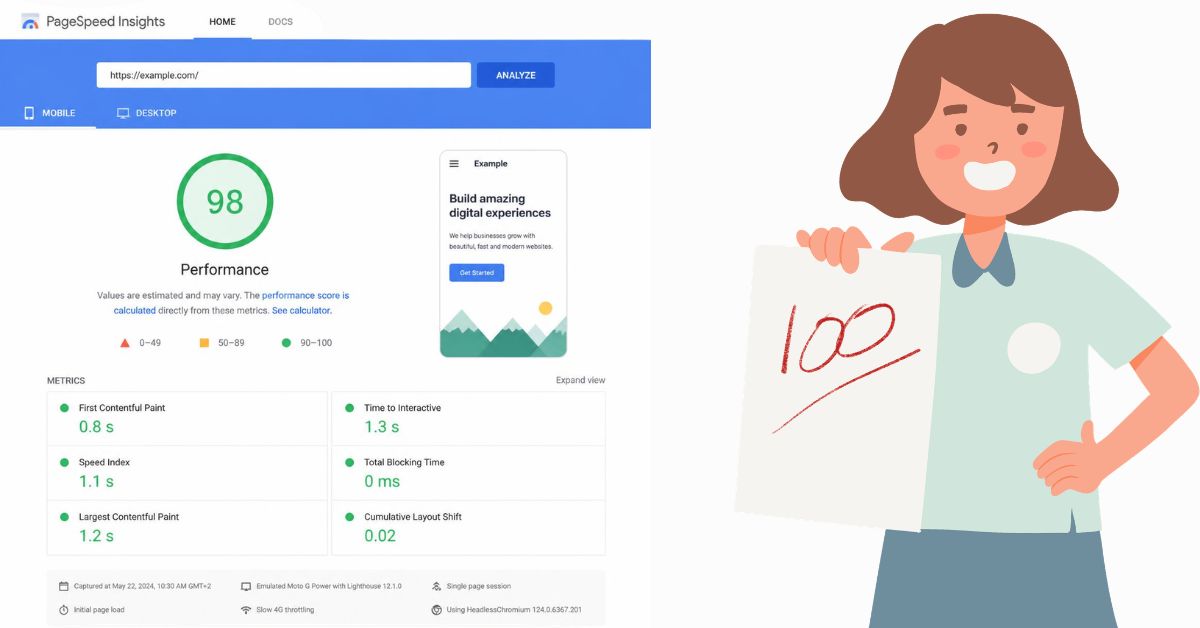
To improve speed:
- Keep the image in WebP format.
- Remove unnecessary plugins and scripts.
- Get good hosting or CDN.
- Turn on caching.
You can check your website speed for free on Google PageSpeed Insights.
6. Mobile-friendly design is essential
Most people in India use tools on their mobile devices. If the buttons are small, the input box doesn’t open properly, or the text is difficult to read, visitors won’t return. Try running your site on your phone. What bothers you will likely bother visitors too.
Read More: How to Download Nepal National Identity Card Online
7. Keep the user experience simple
A good tool is one that can be used without thinking. Keep these things in mind:
- Don’t force logins or sign-ups.
- Keep pop-up ads to a minimum.
- Show results clearly and instantly.
- Keep everything on the same screen.
When people get things done quickly and comfortably, they’re more likely to come back and tell others. This is also part of SEO, as Google looks at how long people stay on your site.
8. Open another avenue of traffic by writing a blog
Tools alone won’t suffice. A blog is where you can answer the questions people ask on Google. Such as:
- “How to reduce home loan EMI?”
- “Easy ways to reduce photo size”
- “How to convert PDF file safely?”
People who read such blogs are more likely to use your tools in the future. Therefore, be sure to include a link to the relevant tool within each blog. One good and useful article a week is enough; just be consistent.
9. Build backlinks, but do it right
A backlink is a link to your site on another website. Google considers this a vote of trust. Here are the correct ways:
- Guest Post:Write useful articles on blogs in your field.
- Tools directory:Submit your site to a good and reliable tool directory.
- Reddit, Quora, and Forums:Where people are genuinely asking questions, provide links to helpful answers. Don’t just spam.
- Create things worth sharing:A unique tool or guide with statistics automatically earns links.
Avoid cheap or purchased backlinks. These can lead to Google penalties in the future.
10. Take advantage of schema markup and FAQs
Adding schema markup to your FAQ and tools pages can make your listings appear more attractive in Google search results and increase clicks. This is easily done with plugins like Rank Math or Yoast in WordPress.
11. Connect with social media and communities
Social media doesn’t directly boost rankings, but it does drive initial visitors. A 30-second demo of a tool in YouTube Shorts, an Instagram Reel, or helpful tips in a WhatsApp group can all help people reach your site. The more people who visit your site, the more your brand is remembered.
12. Look at the data and keep improving
SEO isn’t a one-day job. It typically takes three to six months to see results. During this time, be sure to check Google Search Console and Google Analytics:
- Which keywords are driving impressions?
- Which page is getting fewer clicks? Try changing the title there.
- Which pages cause visitors to leave quickly?
It’s often more profitable to improve a page that’s already running smoothly than to create a new one.
Read More: Essential Digital Skills Needed to Create Professional Documents
Common mistakes to avoid
- Copying content from another website.
- Cramming the same keywords over and over again.
- Ignoring mobile and speed.
- Giving up if you don’t get results quickly.
- Not paying attention to the quality of the tool.
conclusion
The formula for organic traffic on a utility website is simple: identify a real need, create a quick and simple tool that solves it, provide useful content, and persevere. My friend did just that. He customized pages based on keywords, added content under each tool, improved speed, and wrote a blog post a week. After four or five months, his site was receiving over 800 visitors daily.
Start today with one thing: open the page of your favorite tool and see if the content, title, and speed are all right. Small steps add up to big traffic in the long run.
Do you have a utility website? Comment below and tell us what your biggest challenge is in driving traffic.
If you want to know about gaming news, then you can visit this website of my organization where updates and reviews of gaming news are given.